How Do I Set Up Internet in My Bulgaria Home?
Ah, the sweet relief of finally landing in your Bulgarian home! You've navigated the visa process, wrestled with landlords, and maybe even figured out where to buy decent bread. Now, all you want is to connect with loved ones, stream your favorite show without buffering, or perhaps just figure out how to order dinner online. But then comes the next hurdle: getting your internet set up. This guide is here to walk you through the process, sharing my own experiences and tips so you can get online with minimal fuss.
Understanding Your Internet Options in Bulgaria
When you're settling into your new life here, one of the first things you'll notice is that Bulgaria has surprisingly good internet infrastructure, especially in the larger cities. Don't let the paperwork intimidate you; the actual service is often fantastic. Before you dive in, it’s good to know what types of connections are generally available and what might best suit your needs.
Types of Home Internet Connections
Generally, you'll encounter a few main types of internet connections here, each with its own quirks and benefits. Understanding these will help you make an informed decision based on your location and usage habits.
Fiber optic internet, often simply called "fiber," is the gold standard in many urban areas of Bulgaria, particularly in cities like Sofia, Plovdiv, and Varna. This is what you want if you can get it. It offers incredibly fast download and upload speeds, making it perfect for streaming in 4K, online gaming, working remotely with large files, or simply having multiple devices connected without any slowdowns. The consistency and reliability are usually top-notch. If your building has the infrastructure, this is definitely the option to prioritise. Many newer apartment complexes are pre-wired for fiber, which makes installation a breeze.
Cable internet is also widely available, especially in residential areas, and is often bundled with TV services. While not quite as blisteringly fast as fiber, it still provides excellent speeds for most households and is generally very reliable. It uses existing cable television lines, so if your building already has cable TV, setting up internet might be straightforward. The speeds can vary more depending on network congestion during peak hours, but for general browsing, streaming, and even some remote work, it's a solid choice. Providers typically offer various speed tiers, allowing you to pick a plan that fits your budget and needs.
Lastly, we have DSL, which uses traditional telephone lines. While still present, it’s becoming less common for new installations, especially in urban centres where fiber and cable have taken over. DSL speeds are significantly slower than fiber or cable, but it can be a viable option in more rural or older areas where other infrastructure hasn't been upgraded yet. If you find yourself in a quaint village or an older neighbourhood, DSL might be the only fixed-line option, offering a basic but functional connection for email and light browsing. It’s definitely not ideal for heavy internet users or families with multiple devices, but it gets the job done if other options are unavailable.
Mobile Internet as an Alternative
Sometimes, a fixed-line connection isn't immediately possible or perhaps you’re only staying short-term, or live in an area without good fixed-line coverage. This is where mobile internet really shines, offering flexibility and immediate connectivity.
Mobile internet, through 4G or 5G networks, is a fantastic interim solution, or even a primary one for light users or those living in remote areas. All the major Bulgarian mobile operators – A1, Yettel, and Vivacom – offer robust mobile data plans. You can use this data directly on your phone, or create a Wi-Fi hotspot to share with other devices. For travelers or those just arriving, picking up a local SIM card with a data package is incredibly easy and offers instant connectivity. While you're waiting for your home internet to be connected, a good interim solution is an eSIM. Services like Airalo can give you immediate data access on your phone, letting you stay connected from day one, which is a lifesaver when you’re navigating a new city and need maps or translations.
Another common use for mobile internet is through dedicated mobile routers or dongles. These devices use a SIM card to create a Wi-Fi network, much like your home router, but they're portable. This can be perfect for digital nomads, people in temporary accommodation, or those who need internet for a holiday home that isn't connected to a fixed network. The speeds are generally quite good, especially in areas with strong 4G or 5G coverage, and the setup is minimal – just plug it in and go. However, watch out for data caps, as unlimited mobile data plans might be more expensive than fixed-line alternatives, especially if you plan on heavy usage. It's always a good idea to monitor your data consumption if you rely solely on mobile internet to avoid unexpected charges.
Before you consider mobile internet as your sole solution, especially for a permanent home, think about your data needs. Streaming movies in HD, regular video calls, or downloading large files can chew through data surprisingly quickly. While convenient and flexible, it might not be the most cost-effective or stable long-term solution for a busy household compared to a dedicated fiber connection. I remember trying to rely on a mobile hotspot during my first few weeks, and let's just say my patience (and data allowance) ran out quickly! However, it's brilliant for that crucial period when you're still figuring things out.
Choosing the Right Internet Provider for Your Home
Now that you know the types of internet available, the next big step is choosing a provider. This is where things can feel a bit daunting, as you're faced with multiple companies, plans, and the inevitable language barrier if your Bulgarian isn't quite up to snuff yet. But don't worry, many providers are increasingly expat-friendly.
Major Internet Providers in Bulgaria
Bulgaria’s internet market is dominated by a few key players, similar to how it works with mobile services. These are the names you'll see most often:
- A1 Bulgaria: This is a big one, offering a full suite of services including mobile, internet, and TV. A1 often has very competitive fiber optic and cable plans, especially if you bundle them with a mobile subscription. Their coverage for fixed-line internet is strong in urban areas, and they frequently run promotions that can make their packages quite attractive. Their customer service has improved over the years, and you can often find English-speaking representatives, particularly if you visit a larger store in Sofia or Plovdiv. They have a reputation for reliable service and good network stability.
- Yettel (formerly Telenor): Primarily known for mobile services, Yettel has also expanded significantly into home internet, offering fiber and fixed wireless options in many locations. Their fiber network is rapidly growing, and they are strong competitors, often pushing innovation. If you're looking for a provider with a modern approach and potentially some unique bundles, Yettel is worth checking out. Similar to A1, their larger stores are usually equipped to handle international customers, and their online presence often has English translations.
- Vivacom: As the former state telecommunications company, Vivacom has the most extensive infrastructure, especially when it comes to older networks like DSL, but they also offer widespread fiber and cable. If you're in a more remote area, Vivacom might be your only fixed-line option due to their legacy network. In cities, they compete fiercely with A1 and Yettel for fiber customers, often having attractive prices. They are a solid, traditional choice, and while their customer service can sometimes feel a bit more bureaucratic, they are generally reliable.
Beyond these giants, you’ll also find smaller, regional internet service providers (ISPs). In some towns or even specific neighbourhoods, these local ISPs might offer incredible speeds and personalised service at a lower cost than the big three. The catch is that their coverage is limited, and finding information in English can be more challenging. However, if you're in an area with a strong local provider, it's definitely worth investigating their offerings, as they can sometimes offer superior value. Just be prepared for a bit more legwork if you need to translate documents or communicate specific technical requirements.
Comparing Plans and Bundles
Once you've identified potential providers in your area, it's time to compare their offerings. This is crucial for ensuring you get the best value and the right fit for your household.
First, consider speed. Most providers will advertise "up to X Mbps" for download and "up to Y Mbps" for upload. For a single person or a couple who browse, stream, and occasionally video call, 100-200 Mbps is usually more than enough. For a family with multiple devices, heavy streamers, gamers, or those working from home with large file transfers, aiming for 500 Mbps or even 1 Gbps fiber can make a huge difference in your daily experience. Don’t pay for speeds you don’t need, but also don’t undersell yourself and end up frustrated with slow loading times.
Next, data limits are important, though thankfully, most fixed-line home internet plans in Bulgaria offer unlimited data. This is a huge relief compared to some countries where data caps are still common. Always double-check, however, especially if you're looking at a promotional offer or a very basic plan, just in case there's a fair usage policy that might affect extremely heavy users. Mobile internet plans, as discussed, are more likely to have data caps, so be mindful if that's your primary connection.
Contract length is another significant factor. Most providers push for 12-month or 24-month contracts, which usually come with lower monthly fees or free installation. If you're planning to stay in your current home for a while, a longer contract can save you money. However, if you're unsure of your long-term plans or if you’re in temporary accommodation, look for shorter contracts (e.g., 6 months) or even no-contract options, although these often come with higher upfront costs for equipment or slightly higher monthly rates. Flexibility comes at a price, so weigh your options carefully.
Finally, consider bundles. All major providers love to bundle internet with TV packages and mobile phone plans. These bundles can offer significant savings compared to subscribing to each service separately. If you need a new Bulgarian mobile number and a TV package anyway, a bundle can be a very convenient and cost-effective solution. Just be sure to compare the total cost and check that each component of the bundle meets your needs. Sometimes, you might pay for TV channels you never watch just to get a slightly cheaper internet connection. Think about whether these extras genuinely add value to your life. For a general overview of living costs, which includes utilities, you might want to read our guide on The Complete Guide to Cost of Living in Bulgaria for Expats (2026).
Documents and Process for Signing Up
Alright, this is where a little preparation goes a long way. The exact documents required can vary slightly between providers and your nationality, but here's a general list:
- Your Bulgarian Residence Permit: This is crucial. Whether it's a temporary or permanent permit, you'll need to show you're legally residing in the country. If you're an EU citizen, your address registration certificate (adresna registratsiya) or an ID card from your home country might suffice, but having proof of your Bulgarian address is always best. Understanding How Your Residence Status Affects NHIF Enrolment in Bulgaria provides similar context for other services.
- Passport or ID Card: Your primary identification document.
- Proof of Address: This could be your rental contract (signed and registered with the municipality if possible) or a utility bill in your name. Sometimes, if your landlord is cooperative, they might sign a declaration for you.
- Bank Account Details: For setting up direct debits for monthly payments. If you haven't opened a Bulgarian bank account yet, some providers might accept cash payments for the first month or two, but a bank account is generally preferred for ongoing billing. Our guide How to Open a Bank Account at a Bulgarian Bank as a Foreigner can help you get this sorted.
The process usually involves visiting a physical store of the chosen provider. While some providers offer online sign-up, doing it in person is often better for expats, especially if you have questions or need to clarify anything about your documents. Ask if they have English-speaking staff – many of the larger stores in major cities do. Be prepared for some waiting time, especially during peak hours. Once you choose your plan, you’ll sign a contract (it's wise to bring a Bulgarian friend or use a translation app to understand the key terms). The good news is that this process typically covers everything from the plan details to the installation schedule. It’s definitely a moment to practice your patience and embrace the Bulgarian way of doing things!
| Provider | Typical Speeds (Download) | Contract Lengths | Estimated Monthly Cost (BGN) | English Support | Notes |
|---|---|---|---|---|---|
| A1 | 100 Mbps – 1 Gbps | 12 / 24 months | 20 – 50 | Good | Often bundled with TV/Mobile |
| Yettel | 100 Mbps – 1 Gbps | 12 / 24 months | 20 – 50 | Good | Strong fiber network expansion |
| Vivacom | 50 Mbps – 1 Gbps | 12 / 24 months | 18 – 45 | Moderate | Widest coverage, good for rural areas |
| Local ISPs | Varies, can be very fast | Flexible, sometimes no contract | 15 – 40 | Limited | Best for specific areas, great value |
Note: Prices are estimates and can vary based on promotions, location, and specific plan details. Always check current offers directly with the providers.
The Installation Process and What to Expect
Once you’ve signed on the dotted line, you’re past the biggest hurdle. Now comes the technical part – getting that glorious internet actually running in your home. This process usually involves a scheduled visit from a technician and setting up your equipment.
Scheduling and Technician Visit
After you sign your contract, the provider will typically schedule an installation date and time with you. This can range from a few days to a couple of weeks, depending on the provider, the availability of technicians, and the complexity of the installation required for your building. Weekends and evenings are often popular, so if you need a specific time, try to book well in advance. Remember, just like coordinating your move with a service like Sirelo ensures your belongings arrive safely, planning your internet setup in advance can save you a lot of headaches.
On the day of the installation, a technician will arrive at your home. It’s really important that you (or someone who can communicate with them) are present. Many technicians may not speak English fluently, so having a Bulgarian speaker on hand, or at least a translation app ready, can be incredibly helpful. Their job is to run the necessary cables (fiber, coaxial, or telephone line) from the building's main connection point into your apartment, set up the router, and ensure the signal is working correctly. They'll likely perform a speed test to confirm everything is up to spec before they leave.
During the visit, don't be shy about asking questions. Where's the best place for the router? How do I reset it if there's a problem? What do the different lights on the router mean? They are there to get you connected, but also to ensure you understand the basic operation of your new setup. If you're in an older building, they might need to drill a small hole or find an existing entry point for the cables, so be prepared for minor construction work, and perhaps have a chat with your landlord beforehand if you think it might be an issue.
Equipment and Initial Setup
The internet provider will almost always supply you with a router, and sometimes a modem if it’s a separate unit, as part of your service package. This equipment is usually included in your monthly fee, or sometimes there's a small upfront rental/purchase cost. It's often basic but functional, providing Wi-Fi coverage for a standard apartment. If you have a large home, or specific networking needs (like a mesh Wi-Fi system), you might want to consider purchasing your own, more powerful router later, but the provided one is fine to start with.
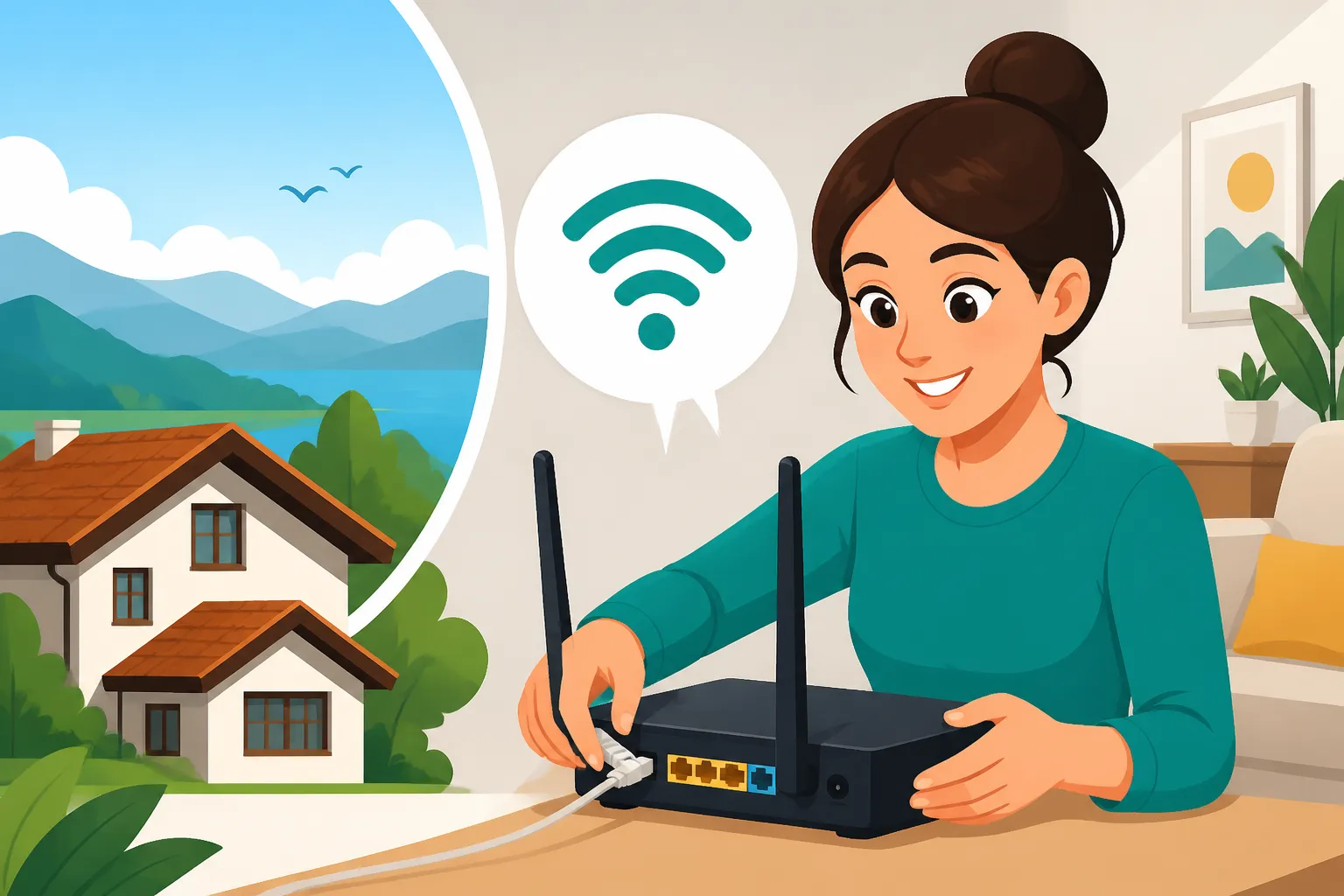
Once the technician has installed the physical lines and connected the equipment, they'll usually configure the router for you. This includes setting up the Wi-Fi network name (SSID) and password. Make sure to note these down immediately! They will also likely connect one of your devices (a laptop or phone) to the new Wi-Fi network to confirm it's working. If you've opted for a TV bundle, they will also set up the set-top box and ensure all channels are accessible.
After the technician leaves, you should be good to go! Connect all your devices, change the Wi-Fi password to something you can easily remember (or something strong if you’re security-conscious), and enjoy your new connectivity. This initial setup is usually quite smooth, provided the building infrastructure is in place and the technician knows their stuff. Remember, if you've recently moved, you might also be sorting out other utilities like electricity, so our guide on How to Set Up Electricity in Your Bulgaria Home could be helpful, as these administrative tasks often go hand-in-hand.
Troubleshooting and Ongoing Support
Even with the best preparation, sometimes things go wrong. Knowing how to troubleshoot common issues and access customer support can save you a lot of frustration.
Common Issues and Quick Fixes
Most internet problems are surprisingly simple to resolve. Before you panic and call customer support, try these common troubleshooting steps:
- Restart Your Router: Seriously, this fixes about 80% of all internet issues. Unplug your router from the power outlet, wait for 30 seconds, and then plug it back in. Give it a few minutes to fully reboot and reconnect.
- Check Cables: Ensure all cables are securely connected. Are the power cable, Ethernet cables, and the main internet line (fiber, coaxial, or phone line) firmly plugged into the router and the wall? Loose connections are a frequent culprit.
- Check Indicator Lights: Most routers have indicator lights for power, internet connection, and Wi-Fi. Consult your router's manual (or search online for your model) to understand what each light means. If the internet light is off or red, it indicates a problem with the connection to your provider.
- Test with Another Device: If one device isn't connecting, try another. Is it just your laptop, or is your phone also having issues? This helps determine if the problem is with your device or the internet connection itself.
- Bypass Router (if possible): If you suspect the router is the problem, try connecting a computer directly to the modem (if you have a separate modem) with an Ethernet cable. If this works, your router might be the issue.
Sometimes, the issue isn't with your internet but with the overall residential infrastructure. If you're experiencing frequent outages or very slow speeds, it might be worth checking with neighbours if they are experiencing similar problems. This can sometimes indicate a wider network issue in your building or area, which the provider would need to address. You can also consult our resource on How to Set Up Internet and Mobile Service in Bulgaria for more details on common service issues.
Contacting Customer Support
If the quick fixes don't work, it's time to contact your internet provider's customer support. Here's how to navigate it:
- Phone Numbers: Keep the customer service number handy. You can usually find it on your contract, the provider's website, or even on a sticker on your router.
- Language Barrier: This can be the trickiest part. While major providers are improving, you might still encounter operators who don't speak fluent English. Try to ask for an "English-speaking operator" (Анговорящ оператор – Angovoryasht operator). If that doesn't work, consider having a Bulgarian friend call for you, or be prepared to use a translation app. Speaking clearly and slowly helps immensely.
- Be Prepared with Information: Have your client number, contract details, and a clear description of your problem ready. The more information you can provide upfront, the faster they can diagnose the issue. Describe what you've already tried (e.g., "I restarted the router, but the internet light is still red").
- Online Chat/App Support: Many providers now offer online chat support through their websites or dedicated mobile apps. This can sometimes be easier than phone calls, as you can use translation tools more readily. Some apps also allow you to monitor your connection status or report issues directly.
Patience is truly a virtue here. Bulgarian customer service can sometimes feel a bit different from what you might be used to, but generally, people are willing to help. Just remember that they're dealing with a high volume of calls, and sometimes the system itself is the problem, not the person on the other end of the line. Your persistence will pay off, and soon you'll be back online, enjoying all the digital comforts of home. And if you are wondering about other aspects of setting up your new life in Bulgaria, don't forget to check out The Complete Guide to Moving to Bulgaria: Your First 90 Days (2027), which covers everything from utilities to residency.
Disclaimer
The information provided in this guide is for general informational purposes only and does not constitute professional advice. While we strive to keep the information up-to-date and accurate, telecommunication services, prices, and regulations in Bulgaria can change rapidly. Always verify details directly with service providers and consult with relevant local authorities or professionals for specific advice tailored to your situation.